The large amounts of data created during construction projects as well as the use of various cloud services can lead to cloud sprawl. With budget estimates, bid records, project plans and more, contractors need an effective way to store, organize, and safely share this data.
Construction companies who leverage technology to efficiently finish projects have taken advantage of cloud solutions, which provide data storage, applications, and computing power without the need of on-premise servers.
However, without the proper management and communication, cloud sprawl can arise. Cloud sprawl results in increased costs, disjointed data, and project delays.
What is cloud sprawl?
Cloud sprawl is propagation of cloud services or cloud workloads an organization uses.
Imagine having one mobile device for calling team members, another for sending project files, and another for taking on-site photography. You would be using too many devices. Having to manage them, secure them, and maintain their efficiency would waste your time and efforts.
In construction, cloud sprawl appears when different teams or departments use different cloud providers, fail to communicate and unify their data, and forget to manage their cloud environments.
When cloud solutions multiply and are not connected, an organization is consuming too many IT resources, funds, and time.
Contractors’ Use of the Cloud
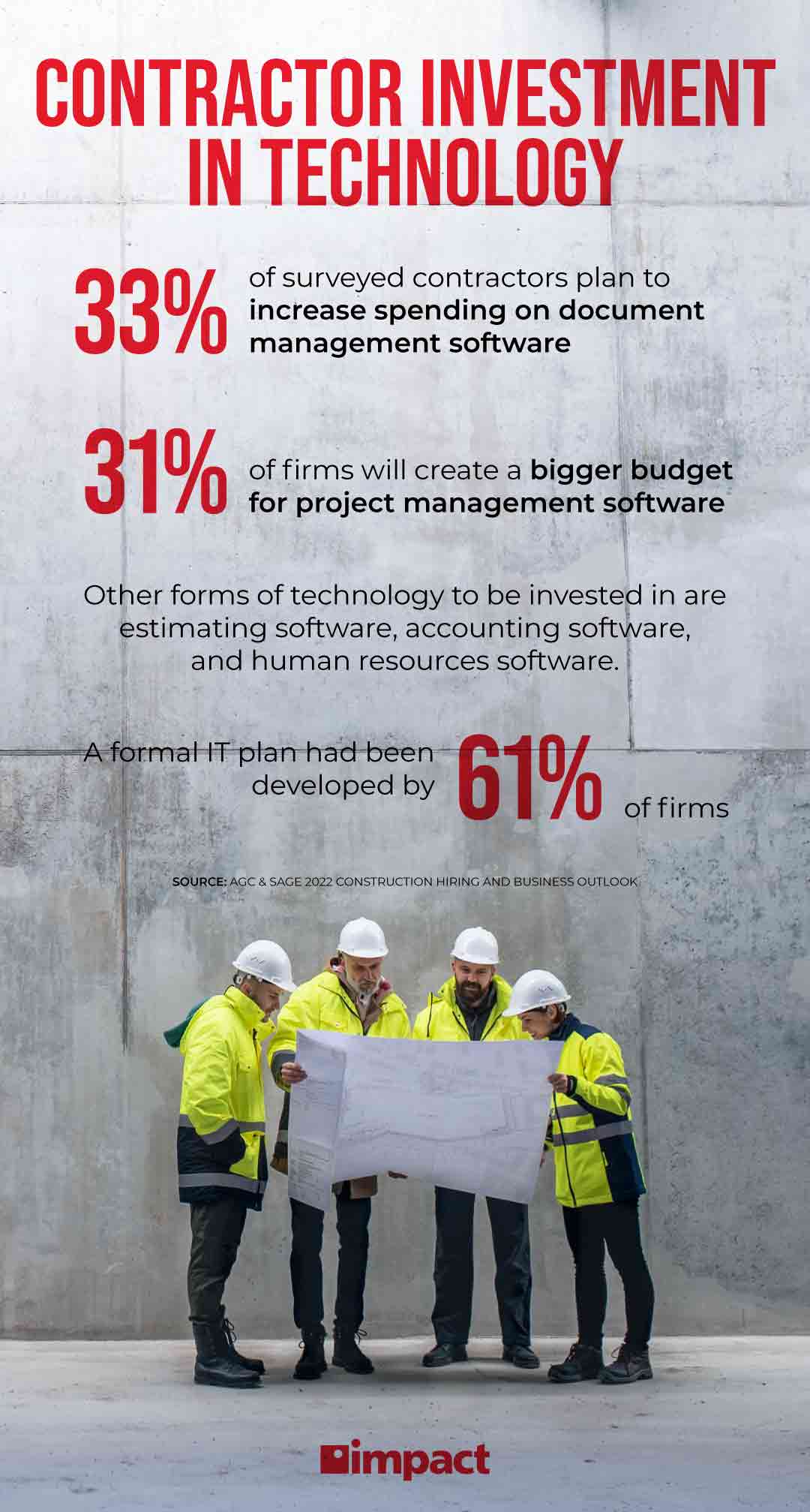
61% of contractors reported they have a formal IT plan to support business objectives and 7% plan to create one in 2022, according to the 2022 Construction Hiring and Business Outlook.
Half the firms reported they use a cloud solution for project management already. Other uses of the cloud for contractors include field operations, accounting, and time tracking.
Contractors who do not take advantage of cloud management, however, could be affected by the side effects of cloud sprawl. These include reduced productivity, increased costs, and weaker cybersecurity.
How Contractors Can Manage Cloud Sprawl
A set of standards contractors can follow can help streamline workflows, maximize the benefits of the cloud, and reduce security vulnerabilities. These include:
1. Centralize Your Data
Currently, plumbing, HVCA, and general contractors struggle to keep up with projects’ timelines because of the labor shortage affecting many industries. Workers are required to do more work as companies compete for talent. With disjointed communication, longer times to upload and download data, and management of multiple cloud servers, the timeline or a project expands even more.
Plumbing contractors, for example, often run different projects in multiple sites. If different teams have inconsistent data such as project layouts or blueprints because they are downloading architectural documents from different cloud servers, the pre-construction timeline is prolonged.
Company leaders should delineate a plan for centralizing all their data and resources. Alignment with the IT department would help to develop a solid strategy that takes into consideration stakeholder as well as technical needs.
A reliable cloud service provider will help you keep your data and workflows centralized to avoid relying on multiple cloud servers. This will also increase the speed of operations since departments leaders will clearly understand where the needed data is stored.
Look for a provider that will help you manage cloud sprawl and maximize cloud benefits.
2. Organize Your Data
Data silos — disparate data systems run by different company departments — and worker confusion can arise when a contractor is managing multiple cloud servers.
Better data organization can improve data analysis options for construction companies. Data analysis can help contractors improve their workflows and make better decisions, but with data spread out among many servers, any data analysis would be unreliable or inconclusive.
Since cloud sprawl happens due to teams adding data to the cloud without a methodical system, a vendor who can help your teams stay organized will help.
A well-structured cloud system also speeds up operations because there will be less time re-uploading and downloading data from multiple sources.
3. Benefit from Access Management
Hackers deleted 90% of E. R. Snell Contractor Inc.’s data backups and encrypted the company’s on-premise servers in 2020.
Cybercriminals can take advantage of poor access management and bad password hygiene to compromise employee accounts and breach a contractor’s network.
Without proper cloud management, contractors using cloud solutions are at increased risk of cyberattacks.
The likelihood of a cyberattack increases with more cloud servers storing copies of data, especially if the management of those servers is spread amongst multiple departments and individuals.
Consider procuring a cloud vendor that puts emphasis on identity and access management services as well as proper password hygiene — using complex passwords, multiple-factor authentication, and changing passwords regularly.
Human error causes 82% of company breaches. Therefore, a cloud vendor that is tactical about which user gets access to what information will minimize the chances of stolen contractor data.
The cloud can also help your company have a solid disaster recovery plan in motion. In the case of natural disasters or a network breach, a disaster recovery plan helps contractors renew operations faster.
Related Blog: What Does a Managed IT Department Do?
4. Increase Communication
In construction, numerous teams collaborate throughout the different stages of a project. Better communication between team leaders will lead to less wasted copies of project plans, wrong documents being downloaded, and faster project completion.
Mechanical contractors often interact with other contractors during the different stages of construction. Having a cloud system with a safe and accessible mobile solution will help these teams stay connected.
Related Video: What is a VoIP Cloud Phone System? | Buzzwords
5. Invest in a Robust Cloud Solution
Contractors are already dealing with higher expenses due to the labor shortage and the rise in the price of construction materials. Paying for not only one, but many cloud servers increases costs even more.
Paying for each individual cloud server instead of investing in a robust, cohesive cloud solution would be akin to using individual trucks to transport each of your team members to the desired location. The company would be paying too much for fuel, projects would be delayed, and confusion would arise.
Using various cloud servers results in the same. With the correct data architecture and access management, data can be organized, securely shared, while IT costs are reduced.
A reliable cloud solution has the power to store all your data. With the correct management, that data can be organized and efficiently used by team members. A good cloud provider can also help you ensure your cloud solutions can communicate with each other, if your company needs to use various solutions.
Related Blog: What Happens in the First Year of a 5-Year Managed IT Contract?
In Conclusion
Cloud sprawl in construction happens when contractors use multiple cloud solutions to store their data and manage projects.
Inevitably, this data becomes disjointed and inaccessible to relevant teams. This results in delayed projects, higher costs, and lower cybersecurity.
To manage cloud sprawl, a robust cloud solution can be implemented to prevent these side effects. Contractors can take advantage of a cloud server managed by a provider that can help them organize their data and maximize the benefits of the cloud.
If you want to learn more leveraging tech to run effective construction projects, check out our webinar Effective Construction Site Management, part of the Industry Insights series.